Best Jasper Alternative for Small Marketing Teams in 2026
If you're shopping for a Jasper alternative, you've probably already used Jasper, liked parts of it, and hit the same wall most small marketing teams hit: it writes fast, but you still do the research, the editing, the SEO, and the publishing yourself. The tool drafts; you run the workflow.

That's the real question behind "jasper alternative" searches. It isn't "which AI writes better sentences?" It's "which one takes more of the content pipeline off my plate without me losing control of what ships?"
Here's the short version. Jasper is a strong single writing assistant. If what you actually need is a content workflow — research, drafting, editing, and SEO working together, with a human approving every piece — you're looking for a different kind of product. Let's break down when to switch and what to switch to.
Why small marketing teams look for a Jasper alternative
Most teams don't leave Jasper because it's bad. They leave because of a mismatch between what it does and what a 2-10 person team needs.
Three triggers come up again and again:
- Output that still needs heavy editing. Jasper drafts quickly, but the first pass often reads generic. Someone on your team spends real hours reshaping it, adding specifics, and fact-checking claims before it's publishable. The "AI saves time" math gets thinner once you count editing.
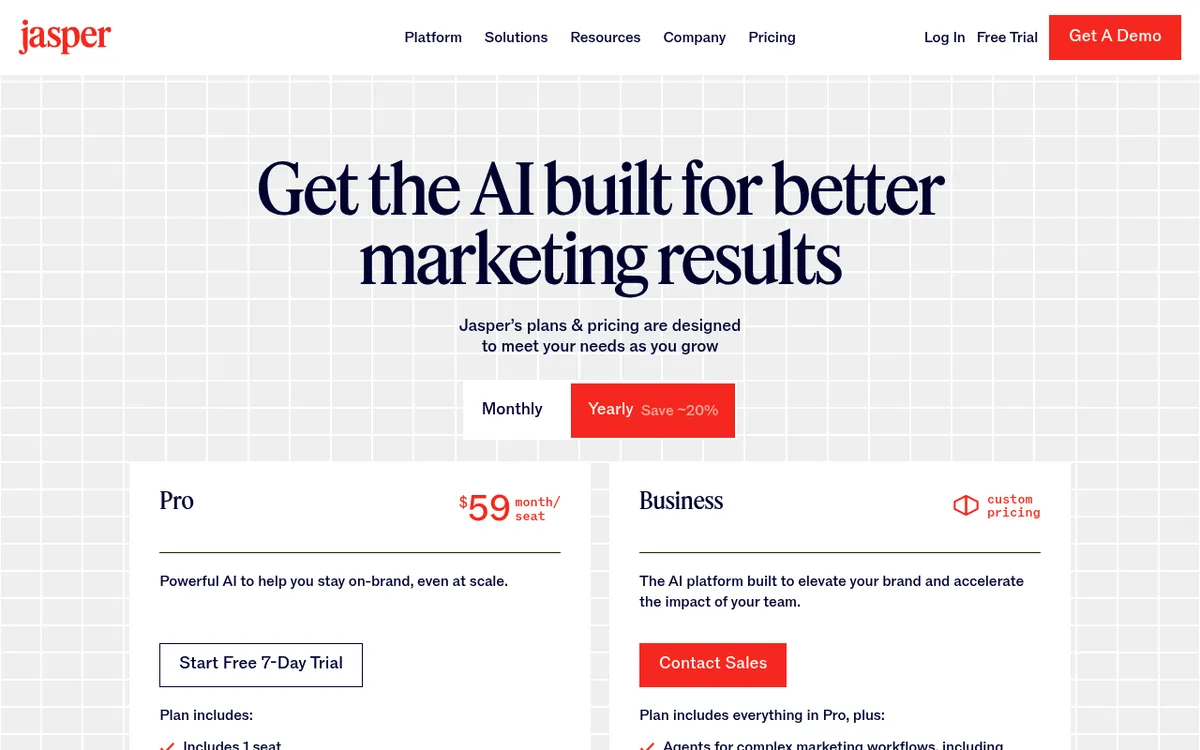
- Per-seat pricing that scales badly. When every writer, editor, and manager who touches content needs a seat, costs climb faster than output does. For a small team, that's a real budget conversation. (Compare current plans on any tool's own pricing page, and check ours at pricing.)
- One tool, but you still run the whole process. Jasper writes. It doesn't do your keyword research, brief the piece, edit it against a style guide, and optimize it for search as one connected flow. You stitch those steps together across tabs and people.
If any of that sounds familiar, the fix probably isn't a better prompt box. It's a different shape of tool.
What Jasper does well (and where it leaves gaps)
Let's be fair, because a comparison that pretends Jasper has no strengths isn't useful to you.
Jasper earned its reputation. Its brand voice controls are genuinely mature — you can train it on your tone and get consistent output across writers. Its library of marketing templates (ads, landing pages, product descriptions, email hooks) is deep and well-organized. For teams that mainly need fast, on-brand short-form copy, Jasper is a solid pick and has been for years.
The gap isn't quality. It's scope.
Jasper is one assistant you direct prompt by prompt. You decide the topic, you feed it the angle, you review every output, you move the winner into your CMS, and you handle SEO separately. It's a very good writer sitting inside a process that you still operate manually.
For a small team drowning in a content backlog, that manual operation is the actual bottleneck. You don't just need words — you need the steps around the words handled too.
What to look for in a Jasper alternative
Before comparing specific tools, get clear on your evaluation criteria. For a small marketing team, five things matter most:
- Output quality with less editing. How close to publish-ready is the first draft? Fewer edit cycles is the whole point.
- Built-in research and SEO. Does it pull keywords and structure content for search, or is that a separate tool and a separate step?
- Human review and approval. Can you keep editorial control — approve before anything goes live — without babysitting a generator?
- Workflow fit. Does it slot into where your team already plans and publishes, or is it one more siloed dashboard to check?
- Predictable pricing. Does the cost scale with the value you get, or just with the number of people who log in?
Score the tools you're considering against these five. The named "Jasper alternatives" you'll find in listicles mostly compete on the first criterion and ignore the rest. That's the opening worth understanding.
The shift from a writing tool to a multi-stage workflow
Here's where Lunroo takes a different approach, and it's the reason this comparison exists.
Jasper is one AI you prompt. Lunroo runs the whole content pipeline on autopilot, as distinct stages that hand off to each other the way an actual content team would:
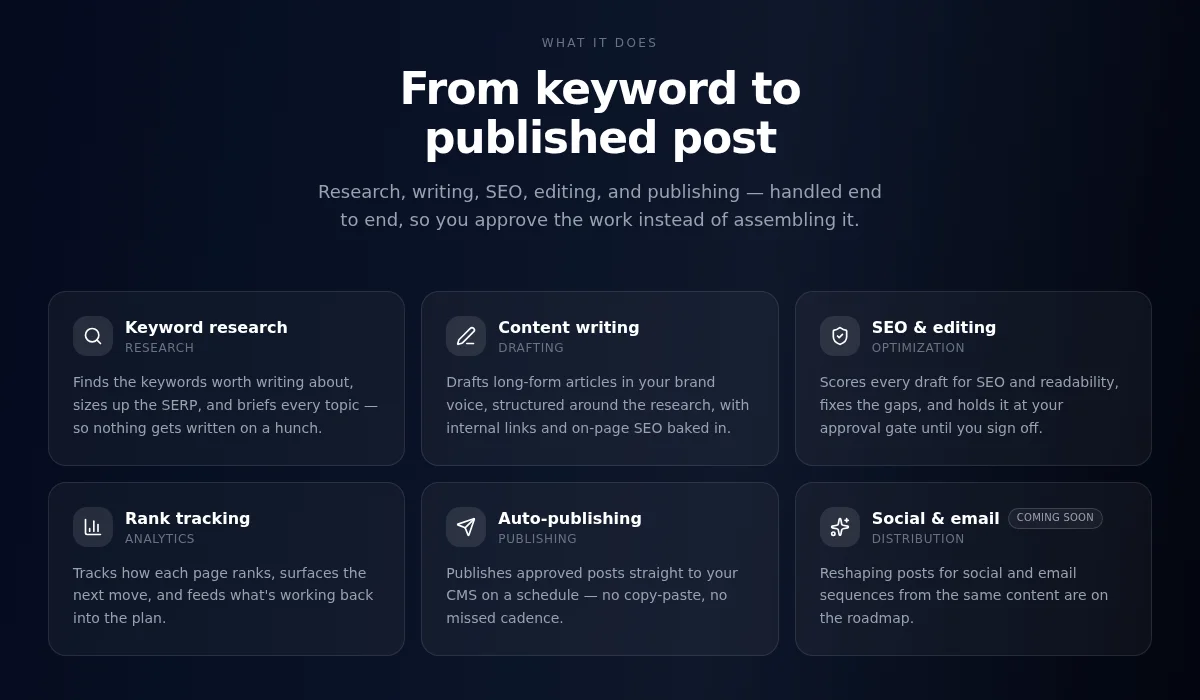
- Research — keyword targets, SERP and competitor angles, the questions your audience is actually asking.
- Drafting — the piece gets written in your brand voice, built on that research instead of a blank prompt.
- Editing — tightening, fact-flagging, and checking the draft against your style.
- Publishing — approved pieces go live, with the whole loop kept moving end to end.
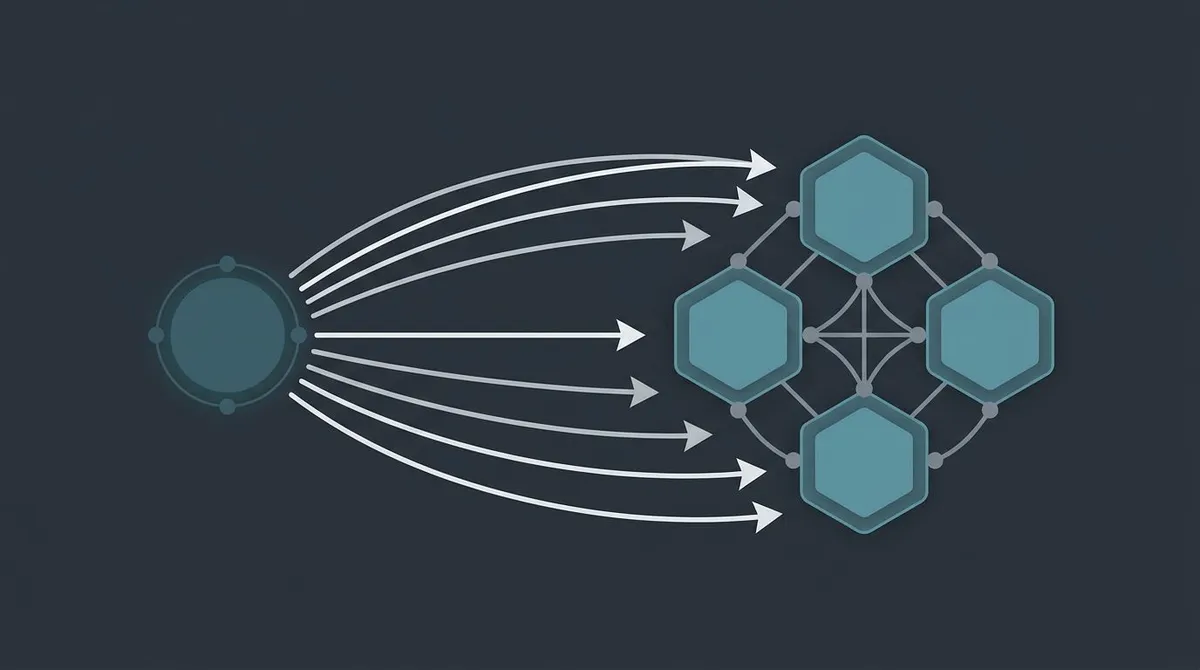
The difference is structural. With a writing tool, you are the researcher, the editor, and the project manager, and the AI is your typist. When those stages run end to end, they're handled and you move up to editor-in-chief — setting direction and approving output. It's closer to hiring a small content team than buying a writing app. If you want the mechanics, we walk through them in how AI agents automate marketing and what AI marketing agents actually are.
This is the category no Jasper-alternatives listicle addresses. They line up single writing tools against each other and never ask whether you needed a single writing tool at all.
Here's how the two shapes compare against the criteria above:
| Tool | Type | Built-in research + SEO | Human approval step | Workflow fit | Pricing shape |
|---|---|---|---|---|---|
| Lunroo | Multi-stage content workflow (research, drafting, editing, publishing) | Yes — research and SEO are part of the loop | Yes — draft-and-approve on every piece | Notion-native, works where you plan | One subscription, team value — see pricing |
| Jasper | Single AI writing assistant | Partial — writing-focused; SEO via add-ons | You review manually, tool-side | Standalone dashboard | Per-seat |
| Copy.ai | AI writing + GTM workflows | Partial — workflow-focused | Manual review | Standalone dashboard | Per-seat / usage |
| Writesonic | AI writer with SEO features | Yes — stronger SEO tooling | Manual review | Standalone dashboard | Tiered / usage |
| Rytr | Budget AI writer | Limited | Manual review | Standalone dashboard | Low-cost tiers |
The table is honest about tradeoffs. Several of these tools do their one job well. Lunroo's difference is that it does the job around the writing too.
Keeping editorial control: draft-and-approve
A fair objection to "a workflow that researches, writes, and optimizes on its own" is: doesn't that mean I lose control of what publishes?
The opposite, actually. Control is the design.
Every piece Lunroo produces lands in draft for a human to review. Nothing publishes on its own. You read it, edit it, approve it, or send it back — the same way you'd manage a freelancer or a junior writer. The automation handles the volume; you own the sign-off.
That matters more with an end-to-end workflow than with a single tool, because more of the work happens without you in the loop. Draft-and-approve is what makes that safe. You're not babysitting a generator prompt by prompt, and you're not letting unreviewed AI content hit your site either. You approve the output, not every keystroke.
This is the honest tradeoff with any AI content: it drafts fast, but a human should still approve claims, tone, and facts before anything ships. Draft mode builds that step in instead of hoping you remember to add it. It's also just good practice for writing SEO content that Google — and your readers — will trust.
Working where your team already works: Notion-native
The other quiet cost of most content tools is that they're one more place to log in.
Your team plans in one app, briefs in another, drafts in Jasper, tracks in a spreadsheet, and publishes somewhere else. Every handoff is a copy-paste and a chance for something to get lost.
Lunroo is Notion-native. Planning, briefs, drafts, and approvals happen inside the Notion workspace your team already uses. There's no separate dashboard to check daily and no new home for your content calendar — every stage runs where your process already lives.
For a small team, that workflow fit is worth as much as the writing quality. The best content engine is the one your team actually opens. Meeting them in Notion removes the "yet another tool" friction that kills adoption of otherwise-good products.
Other Jasper alternatives worth knowing (Copy.ai, Writesonic, Rytr)
To keep this genuinely useful and not just a Lunroo pitch, here are three other Jasper alternatives that fit different needs. Each does something well.
- Copy.ai — strong if your priority is structured GTM workflows and short-form marketing copy at speed. It's built around repeatable copy tasks. We go deeper in our Copy.ai alternative breakdown.
- Writesonic — the pick if SEO tooling inside your writer matters most. Its search-focused features are more developed than Jasper's out of the box. If SEO is your main lens, our SurferSEO alternative comparison is also worth a read.
- Rytr — the budget option. If you need basic AI drafting at a low monthly cost and don't need research or workflow, Rytr is hard to beat on price.
All three share Jasper's core shape, though: they're tools you operate, not a workflow that operates for you. That's fine if a writing tool is genuinely what you need. If you're trying to replace more of the pipeline, look at the end-to-end workflow approach instead — and for a broader survey, see our best AI writing tools roundup or the Outrank alternative comparison for the SEO-autopilot end of the market.
Bringing it together
If you want a faster typist, Jasper is a strong pick — and honestly, a lateral move to Copy.ai, Writesonic, or Rytr won't change the shape of your problem much.
If your real bottleneck is running the whole content process with a small team, you want a different category: an automated content workflow that researches, drafts, edits, and publishes as one loop, keeps you in control with draft-and-approve, and works inside the Notion you already use.
Want to see the workflow draft your next article? Start with Lunroo and watch the research-to-draft loop run inside your own Notion workspace.
FAQ
Is there a free Jasper alternative?
Some tools on this list offer free or low-cost tiers, and Rytr in particular competes on price. Lunroo does not have a free tier — it's a paid subscription, because running research, drafting, editing, and publishing end to end costs real tool credits and LLM tokens. You can see what's included on our pricing page. If a permanently free tool is your must-have, a budget single-writer tool will fit better than a full content workflow.
Is Lunroo cheaper than Jasper per seat?
Lunroo isn't priced per seat, so it doesn't map to Jasper one-for-one. Jasper charges by the seat, which means cost grows every time another person needs access. Lunroo is one subscription for the whole content pipeline, so the comparison is less "cost per writer" and more "cost of running your content pipeline." For most small teams juggling several seats, that's the more useful math. Current numbers are on our pricing page.
Can Lunroo replace my whole content workflow?
For content, that's the intent. Lunroo handles keyword research, briefing, drafting, editing, and on-page SEO as one connected loop inside Notion, with a human approval step before anything publishes. It covers the pipeline a writing tool leaves to you. Note that social media scheduling and email campaigns are on the roadmap and coming soon — not live features today — so plan around content and SEO for now.
Does AI content still need human review?
Yes, and that's the point of draft-and-approve. AI drafts quickly, but a person should still check facts, claims, tone, and brand fit before anything ships. Lunroo builds that review step into the workflow — every piece lands in draft for you to approve — instead of assuming you'll remember to add it. Automation handles the volume; you keep the editorial call.
How is a multi-stage content workflow different from a single AI writing tool?
A single tool like Jasper is one assistant you direct prompt by prompt — you still do the research, editing, and SEO yourself. A multi-stage workflow splits those jobs into distinct research, drafting, editing, and publishing stages that hand off to each other on every piece. You move from operating the process to approving the output. It's closer to managing a small content team than using a writing app.