How to Build a Content Marketing Workflow (2026 Guide)
Here's the short version: a content marketing workflow is the repeatable path a piece of content takes from idea to published, live URL. If your team publishes on vibes instead of a defined process, things stall, briefs get lost, and half-finished drafts pile up in a shared doc nobody opens.
Small teams feel this the hardest. When two people are doing the work of five, an undefined process isn't a minor annoyance — it's the reason you missed three publish dates last quarter. The good news is that a workflow doesn't need to be complicated to fix that. It needs to be clear, owned, and consistent.
This guide breaks the content marketing workflow into six concrete stages, shows you how to map it onto your own team, and covers where the modern AI-agent approach fits in without pretending robots replace your judgment.
What is a content marketing workflow?
A content marketing workflow is the defined sequence of stages and hand-offs that moves content from raw idea to published asset. Think of it as the assembly line: research goes in one end, a ranked, live page comes out the other, and every step in between has an owner.
Most teams run one of three shapes:
- Task-based — the workflow is a checklist of tasks per piece (write, edit, add images, publish). Simple, but it can hide where a piece is actually stuck.
- Status-based — each piece moves through named stages (Idea → Brief → Draft → Review → Approved → Published). This is the most common content management workflow because a glance at the board tells you what's blocked.
- Swim-lane — tasks are grouped by role or channel, so you can see the writer's lane, the editor's lane, and the SEO lane side by side.
Small teams fail without one because the process lives in someone's head. When that person is out sick or slammed, the whole content publishing workflow freezes. A written workflow turns tribal knowledge into something anyone on the team can pick up and run.
If you're still figuring out what to publish before how, start with how to build a content strategy — strategy sets the targets, the workflow is how you hit them.
Why small marketing teams need a defined workflow
When you have a big team, slack in the process gets absorbed. When you have two or three people, every bottleneck is visible and painful. Here's what an undefined process costs a small team.
Inconsistent publishing. Without a workflow, output depends on who has time this week. You publish four posts in a burst, then go dark for a month. Search engines and audiences both reward consistency — Google's guidance on helpful content leans on the same principle — and inconsistency quietly kills momentum.
Single points of failure. If only one person knows how a draft gets from Google Docs to the CMS, that person is a bottleneck and a risk. A defined content creation workflow spreads that knowledge across the team.
Review backlogs. Drafts finish faster than they get reviewed, so a queue forms. The writer moves on, context goes cold, and by the time anyone reviews the draft, it needs a rewrite.
No source of truth. Keywords live in a spreadsheet, briefs in email, drafts in Docs, and the calendar in someone's head. Nobody can answer "what's the status of the pricing post?" without pinging three people.
A workflow isn't bureaucracy. For a small team, it's leverage — the thing that lets you 10x output without 10x headcount.
The 6 core stages of a content marketing workflow
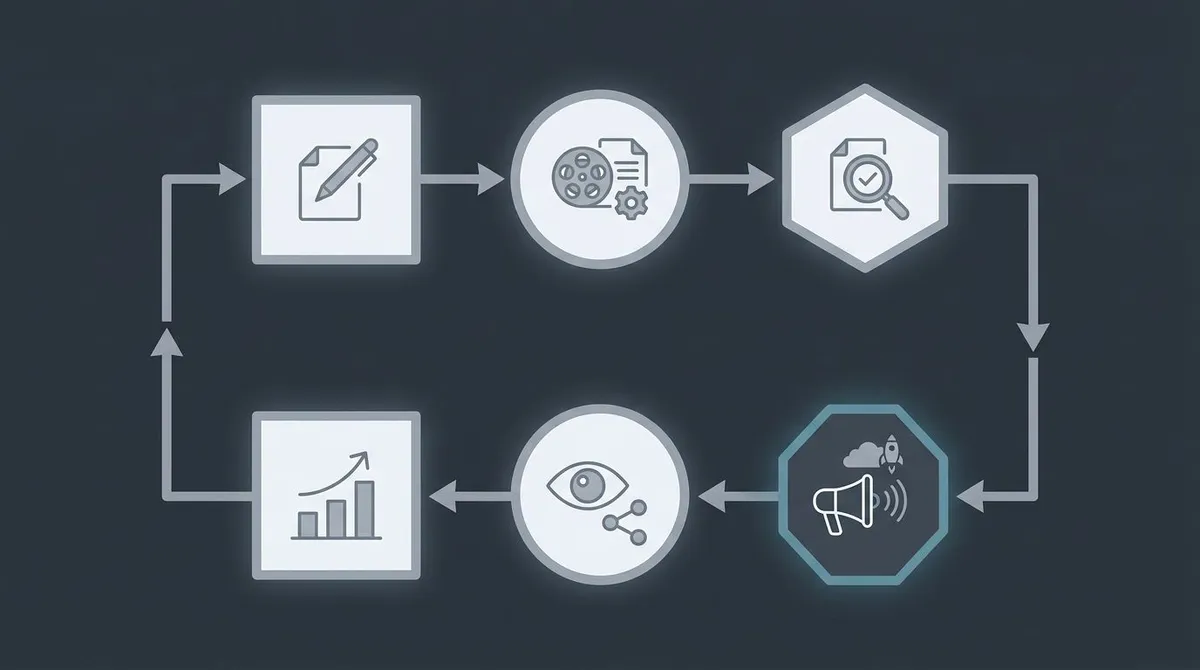
Every effective content marketing workflow, whatever tools you use, runs these six stages. For each one, know who owns it, what goes in, and what comes out.
1. Ideation and keyword research. Someone owns finding the topic and the search demand behind it. Input: your strategy, audience questions, competitor gaps. Output: a validated topic with a target keyword and intent. If this stage is fuzzy, everything downstream is guesswork — our guide to how to do keyword research covers the mechanics.
2. Outline and brief. The owner turns the topic into a brief: target keyword, angle, H2 structure, word count, internal links, and the point of view. Input: the validated topic. Output: a brief a writer can execute without a meeting. A good brief is the single highest-leverage document in the whole workflow.
3. Drafting. The writer produces the draft against the brief. Input: the brief. Output: a complete first draft with sources. This is where most of the visible work happens, but it's cheap if stages one and two were done well.
4. Editing and SEO. An editor tightens the prose, checks claims, and optimizes on-page elements — title, meta, headers, internal links, keyword placement. Input: the draft. Output: a polished, search-ready piece. See how to write SEO content for what "search-ready" actually means.
5. Approval. Someone with authority reads the finished piece and says ship or don't. Input: the optimized draft. Output: a yes/no decision. This is the human gate — the stage that keeps quality and brand voice consistent.
6. Publish and track. The owner formats, schedules, publishes, and then monitors rankings and traffic. Input: the approved piece. Output: a live URL plus performance data that feeds back into stage one.
Notice the loop: stage six feeds stage one. A workflow isn't a straight line, it's a cycle that gets smarter each time around.
How to map your workflow step by step
Reading about stages is easy. Mapping them onto your team is the part that makes it real. Here's how to do it in an afternoon.
1. **List every task a piece of content passes through.** Be specific. Not "edit" but "line edit, fact-check, add internal links, write meta description." You'll be surprised how many hidden steps exist. 2. **Assign an owner to each task.** Every task gets exactly one accountable person, even if it's the same person for five of them. Shared ownership is no ownership. 3. **Sequence them into stages.** Group tasks into the six stages above, in order. Anything that can happen in parallel (like sourcing images while the draft is written) gets flagged. 4. **Set stage gates.** Define what "done" means for each stage before a piece can advance. A draft can't enter Editing until it hits the brief's word count and covers every H2. These gates prevent half-baked work from clogging the next stage. 5. **Pick a single source of truth.** One board, one place, where every piece's status is visible. This is non-negotiable — it's what kills the "what's the status of X?" problem.Building a content calendar alongside this gives you the when to your how — the two documents together are your entire operating system for content.
Pro tip: map the workflow you actually run today before designing the ideal one. Teams often discover the real bottleneck isn't where they assumed.
Common content workflow bottlenecks and how to fix them
Even a well-mapped workflow develops clogs. Here are the three that hit small teams most, and the fix for each.
The review backlog. Drafts pile up waiting for an editor or approver. Fix it by time-boxing review — a draft gets feedback within 48 hours or it advances by default. Also, move fact-checking and SEO into the editing stage so approval is a fast yes/no, not a second full edit.
Unclear briefs. The number one cause of rework is a writer guessing at intent. Fix it by making the brief a hard gate: no draft starts until the brief specifies keyword, angle, structure, and internal links. Ten minutes on a brief saves two hours of rewriting.
No single source of truth. When status is scattered, work gets duplicated or dropped. Fix it by consolidating the workflow into one system where the brief, the draft, the status, and the performance data all live together. Tool sprawl is the enemy here — every extra app is another place for a piece to get lost.
If a specific stage keeps stalling, the answer is usually automation, not more meetings. Repetitive stages — keyword pulls, first drafts, on-page SEO checks — are exactly the parts a machine handles well. Our guide on how to automate SEO digs into which stages are safe to hand off.
Running the workflow on autopilot
Most workflow guides describe stages a human team hands off between. The newer approach is to let an automated content workflow run those same stages end to end, with a human approving the output.
That's the model behind how AI agents automate marketing — and it's how Lunroo works. Instead of one AI prompt box you drive manually, Lunroo runs the whole content pipeline as distinct stages mapped to the six above:
- Research — keyword targets, SERP analysis, and the angle for the piece.
- Drafting — a full draft written against the brief in your brand voice.
- Editing — line edits plus on-page SEO on the finished draft.
- Publishing — the approved piece formatted, scheduled, and tracked, with hand-offs between stages handled automatically so nothing stalls.
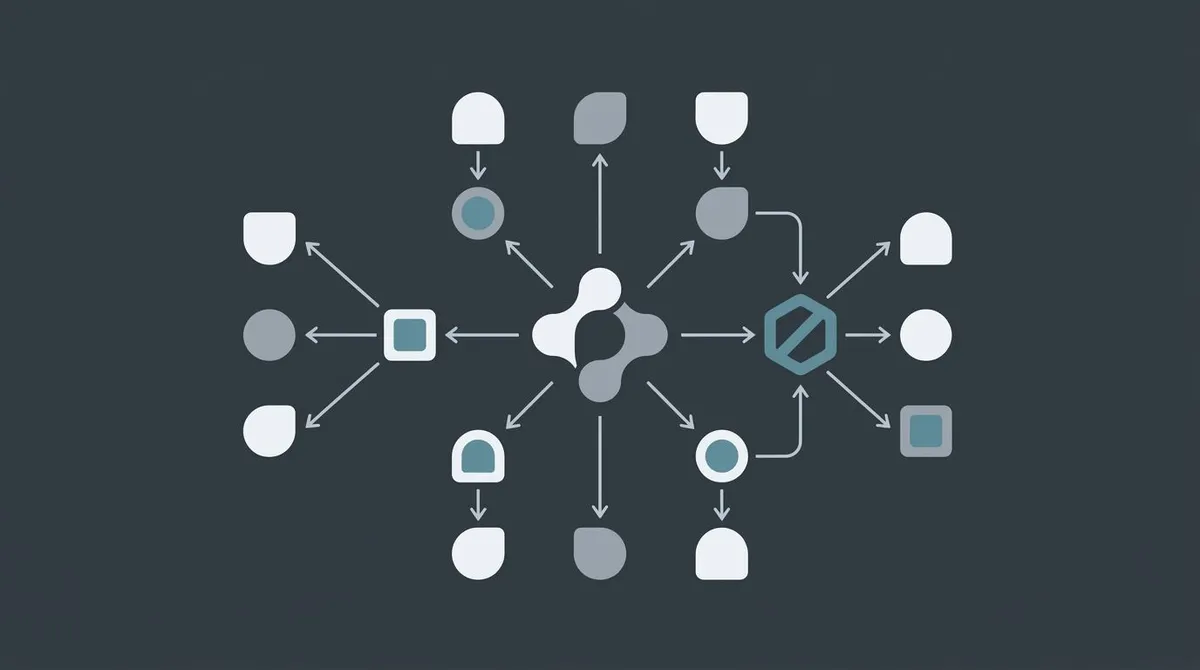
The part that matters for small teams: every draft lands in draft mode for a human to approve or reject. The automation does the volume and the repetitive stages; you keep the approval gate. That's automation, not abdication — you're still stage five.
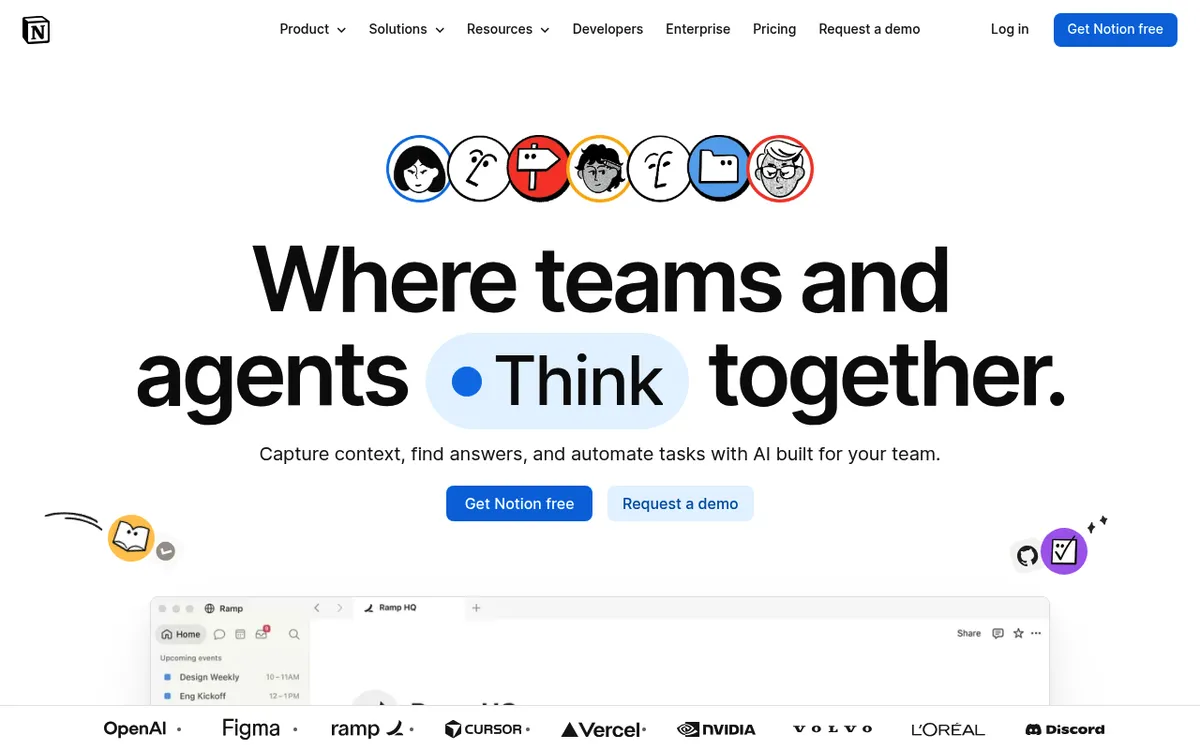
It's also Notion-native, so the whole content management workflow lives in a tool your team probably already uses. Research, briefs, drafts, and rank tracking sit in one workspace instead of scattered across five apps. For a small team drowning in tool sprawl, that consolidation is often the bigger win than the speed. You can dig into what AI marketing agents actually do if you want the fuller picture.
To be honest about scope: this covers research, writing, editing, and rank tracking today. Social scheduling and email are on the roadmap, not live — don't buy it expecting those yet.
Content workflow tools and templates
You can run a great workflow with almost any stack, as long as it covers the six stages and gives you one source of truth. Here's an honest survey of the common approaches.
| Approach | Best for | Tradeoff |
|---|---|---|
| Lunroo (multi-stage AI content workflow, Notion-native, draft-and-approve) | Small teams who want the whole workflow run as one loop with a human gate | Newer category; social and email still coming soon |
| HubSpot | Teams already living in HubSpot's CRM and marketing suite | Powerful but heavyweight and priced for larger orgs |
| CoSchedule | Calendar-first planning and scheduling across channels | Strong on the calendar, lighter on the research and drafting stages |
| Trello / Asana + writing tools | Teams who want a flexible status board they assemble themselves | You're bolting a PM board onto separate writing and SEO tools — more glue to maintain |
| Notion (manual) | Teams who want everything in one workspace and don't mind running it by hand | Great source of truth, but the stages are still all manual |
CoSchedule and HubSpot both do their jobs well — CoSchedule's calendar is genuinely good, and HubSpot is hard to beat if you're already all-in on their platform. Where Lunroo differs is that the workflow runs itself stage to stage on autopilot — research, drafting, editing, publishing — with the draft-and-approve gate built in, all inside Notion.
If you'd rather see the six stages run as one loop instead of managing five tools, start with Lunroo. Plan details are on the pricing page — no free tier, one subscription that replaces a stack.
Templates are worth grabbing too. A simple status-based board (Idea → Brief → Draft → Review → Approved → Published) in whatever tool you already use will take you 80% of the way. The template matters far less than actually following it.
FAQ
What is a content workflow?
A content workflow is the defined, repeatable sequence of stages a piece of content moves through from idea to published. It assigns an owner to each stage and sets clear hand-offs, so anyone on the team can see what's in progress and what's blocked. The point is to make output consistent and predictable instead of dependent on who has time this week.
What are the stages of a content marketing workflow?
Most content marketing workflows run six core stages: ideation and keyword research, outline and brief, drafting, editing and SEO, approval, and publish and track. Each stage has an owner, a defined input, and a defined output. The final stage feeds performance data back into the first, so the workflow is a loop that improves each cycle rather than a one-way line.
How do you automate a content marketing workflow?
Start by identifying the repetitive stages — keyword pulls, first drafts, and on-page SEO checks are the usual candidates. Those can be handed to automation or an AI agent, while judgment-heavy stages like final approval stay with a human. The modern approach uses an automated multi-stage workflow to run research, writing, and editing, then routes every draft to a person for approval before it publishes. That keeps speed high without giving up control.
What is the best content workflow software?
There's no single best answer — it depends on your stack and team size. Calendar-first teams often like CoSchedule; teams already in HubSpot lean on its marketing suite; teams who want everything in one workspace use Notion. If you want the whole workflow run as one automated loop with a human approval gate, a platform like Lunroo is worth evaluating. See the pricing page for current plan details.
What's the difference between a task-based and a status-based workflow?
A task-based workflow is a checklist of tasks per piece of content — write, edit, add images, publish. A status-based workflow moves each piece through named stages like Draft, Review, and Approved. Task-based is simpler but can hide where a piece is stuck; status-based makes bottlenecks visible at a glance, which is why most small teams prefer it as their content management workflow.