How to Create a Content Calendar: A Step-by-Step Guide
If you want to learn how to create a content calendar that your team actually keeps up with, here's the short version: set clear goals, pick one tool you'll open every day, plan topics around real keywords and dates, assign an owner to every row, and review performance monthly. The template is the easy part. Keeping it full is where small teams get stuck.
This guide walks through the whole thing in eight steps. It's written for small marketing teams — 2 to 6 people juggling ad-hoc requests, a blog, and a few social channels, with no time to babysit a planning system. We'll compare tools honestly, show you the columns that matter, and talk about the part most guides skip: how to keep the calendar from going stale.
What a content calendar is (and what it solves)
A content calendar is a single view of what you're publishing, when, on which channel, and who owns it. An editorial calendar usually means the same thing with a heavier focus on the pipeline behind each piece — drafts, edits, and approvals — while a content calendar leans toward scheduling across channels. For a small team, you want both in one place.
The problem it solves is coordination. Without a calendar, content becomes reactive: someone remembers a product launch three days out, a blog post slips because nobody claimed it, and two people accidentally write about the same thing. A calendar turns "we should post more" into a concrete, visible plan.
Here's a trend worth noting. Searches for standalone calendar tools have drifted down year over year, and it's not because teams stopped planning. They're consolidating — folding content planning into all-in-one workspaces instead of buying yet another point tool. The lesson: build lean. You probably don't need new software. You need a system inside a tool you already use.
How to create a content calendar: start with goals, audience, and channels
Skip this and your calendar becomes a list of random posts. Nail it and every row has a reason to exist.
Start with measurable goals. "More traffic" isn't one. "Grow organic blog sessions 30% in two quarters" or "publish four SEO posts a month targeting bottom-funnel keywords" is. Tie your calendar to one or two numbers you actually track.
Next, map your audience. Who reads your content, what questions do they have, and where do they hang out? A two-person B2B team doesn't need to be on six platforms. It needs to be consistently good on the one or two where its buyers actually are.
Then pick channels realistically. Be honest about capacity. A small team publishing one solid blog post a week plus a handful of repurposed social posts will beat a team that spreads itself across five channels and burns out in a month. If you're still deciding where content fits in the bigger picture, our guide on how to build a content strategy covers goal-setting in more depth.
Step 1: Run a quick content audit
Before you plan new content, take stock of what you already have. A 30-minute audit saves you from writing things that exist or missing easy wins.
Pull a list of your published content and tag each piece with three things:
- Performer or not — check traffic, rankings, or conversions. Which posts pull their weight?
- Fresh or stale — anything more than a year old that still gets traffic is a refresh candidate.
- Gaps — topics your audience cares about that you haven't covered.
Your top performers tell you what formats and topics work, so you can do more of them. Your stale-but-ranking posts are quick wins — a refresh often beats writing from scratch. And the gaps become your first calendar entries. If SEO is a goal, pair this audit with proper keyword research so the gaps you fill are ones people actually search for.
Step 2: Choose your calendar tool
This is where teams overthink it. There's no single best tool — there's the one your team will actually open. Here's an honest comparison for a small team.
| Tool | Best for | Tradeoffs |
|---|---|---|
| Notion | Small teams who want planning, briefs, and drafts in one linked workspace | Slight learning curve; needs a bit of setup up front |
| Google Sheets / Excel | Getting started fast, zero cost, everyone already knows it | Gets messy at scale; no real workflow or status automation |
| Airtable | Teams who want database views (calendar, kanban, grid) with more structure | Free tier has row limits; another login to manage |
| CoSchedule / dedicated tools | Teams that need built-in social scheduling and marketing calendars | More cost; can be overkill for a lean content operation |
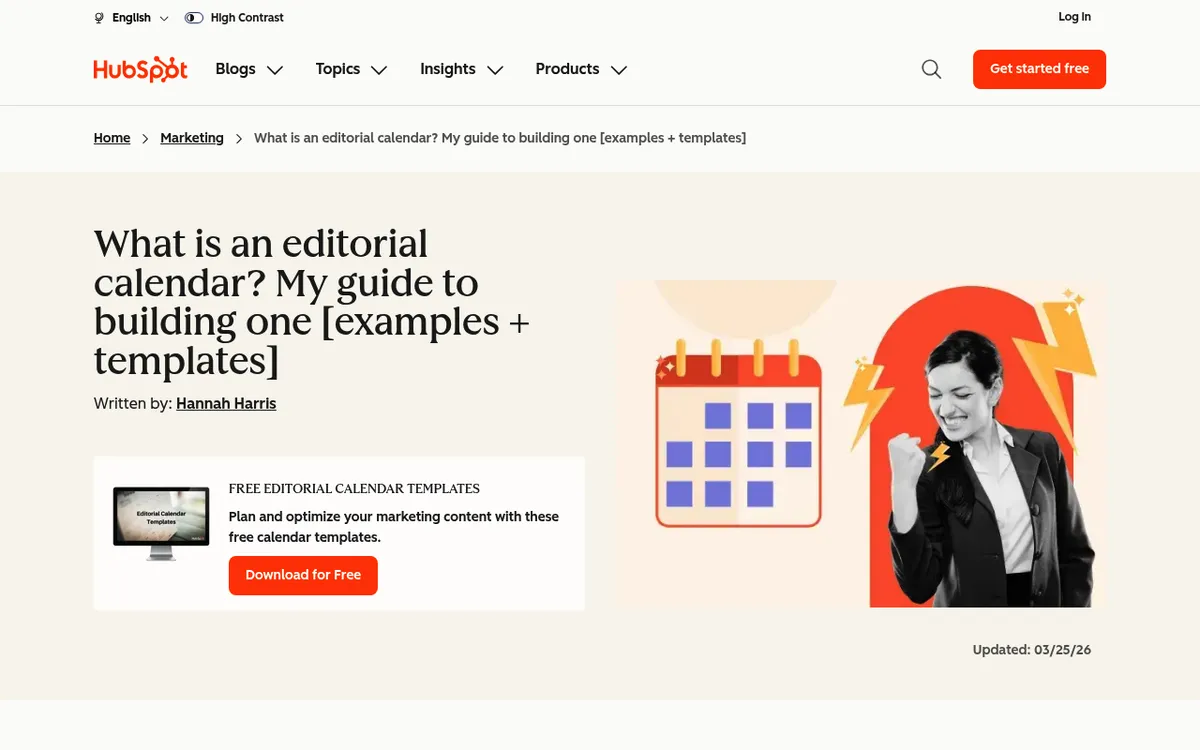
A spreadsheet is the honest starting point — it's free, familiar, and good enough to prove the habit. Google Sheets templates are everywhere, and a social media content calendar template will get you posting in an afternoon. If you want a ready-made structure, HubSpot publishes free editorial calendar templates you can copy and adapt.
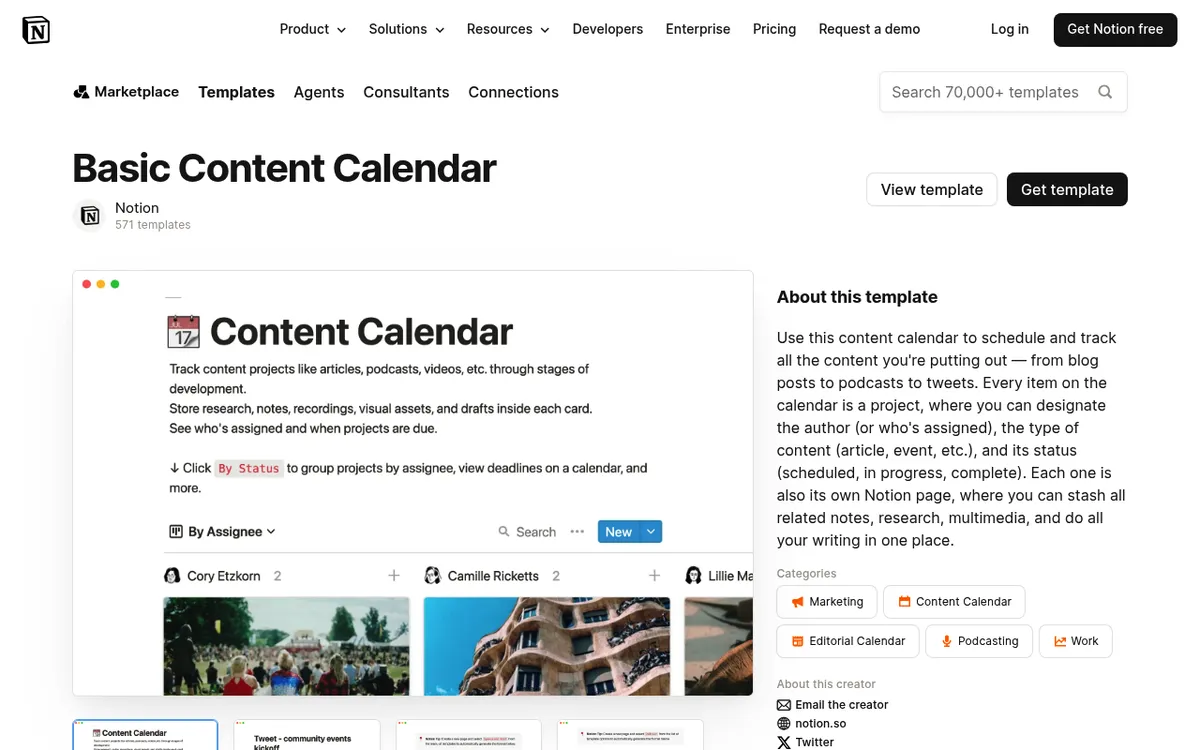
The catch is that spreadsheets don't hold a workflow well. Once you're coordinating drafts, edits, and approvals, a Google Sheet turns into a wall of color-coded cells nobody trusts. That's where Notion tends to shine for small teams: the calendar, the brief, and the draft all live in one place, linked together, so a row isn't just a title — it's the actual work. Airtable and CoSchedule are strong too; Airtable's views are excellent and CoSchedule bakes in scheduling. Pick based on where your team already works, not on feature checklists.
If you want to watch someone build one end to end, this walkthrough sets up a full content calendar in Notion with a free template:
## Step 3: Decide cadence and time horizonTwo decisions here: how often you publish, and how far ahead you plan.
For cadence, consistency beats volume. One good post a week for six months will outperform ten posts in January followed by silence. Pick a rhythm you can sustain on your worst week, not your best one.
For time horizon, small teams do well with a rolling plan:
- Locked for the next 2–4 weeks — topics chosen, owners assigned, drafts in motion.
- Sketched for the next quarter — themes and big dates blocked out, details TBD.
- Loose beyond that — a backlog of ideas, not committed slots.
Planning a full year in detail sounds organized but rarely survives contact with reality. Plan tightly for the near term, loosely for the far term, and revisit monthly.
Step 4: Fill the calendar — topics, formats, keywords
Now you build the actual rows. A content calendar is only useful if each entry tells you enough to act on it. At minimum, include these columns:
- Publish date — the target, not a wish
- Status — idea, brief, draft, editing, approved, published
- Owner — one name, not a team
- Title / working headline
- Format — blog post, landing page, social thread, newsletter
- Target keyword — the primary search term the piece is built around
- Channel — where it goes live
- Notes / brief link — angle, references, internal links
Tie topics to two sources: your keyword research and your key dates. Keywords keep the content findable; dates (launches, seasonal moments, events) keep it timely. Map both onto the calendar so you're not scrambling the week of a launch.
A quick tip on formats: don't treat every idea as a new blog post. One strong piece can become a thread, a newsletter section, and three social posts. Plan the repurposing in the calendar so one research effort feeds several rows. For the writing itself, our guide on how to write SEO content covers turning a target keyword into a post that ranks.
Step 5: Assign owners and build the workflow
A calendar without owners is a wish list. Every row needs one name responsible for moving it forward — not a team, one person.
Then define the stages each piece moves through. For most small teams that's four steps:
- Draft — the writer produces a first version from the brief.
- Edit — an editor tightens it, checks facts, and aligns it to your voice.
- Approve — someone with the final say signs off before anything ships.
- Publish — it goes live and the status updates.
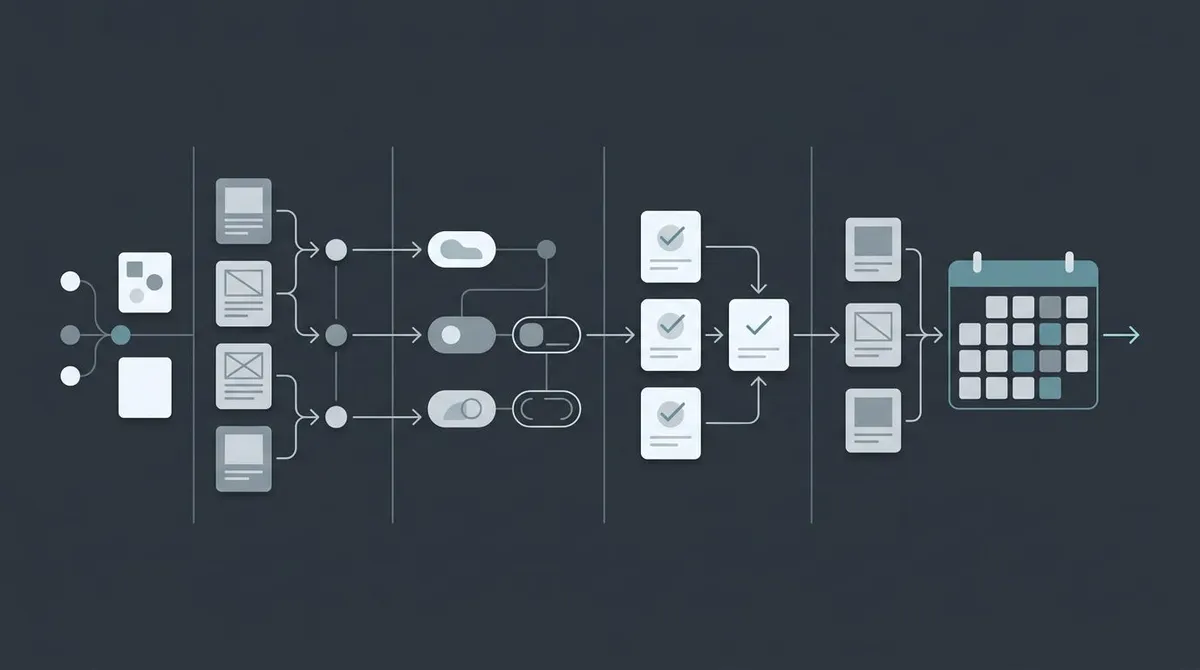
That approval gate matters more than it sounds. It's the difference between "content on autopilot" and "content nobody checked." Even when you speed up the drafting, a human should still read and approve anything that makes a claim, names a customer, or represents the brand. Automation should remove the busywork, not the judgment. A clear content marketing workflow makes these handoffs obvious so nothing stalls between stages.
Step 6: Track, review, and adjust
A calendar is a living document, not a set-and-forget artifact. Block 30 minutes at the end of each month to review.
Look at three things: what published on time, what performed, and what didn't. Celebrate the hits, then be ruthless about the rest. Underperforming posts get one of two fates — refresh them with better data and a sharper angle, or retire them. Refreshing existing content is usually the highest-return work on your calendar, so schedule those refreshes as real rows, not afterthoughts.
Feed what you learn back into planning. If how-to guides outperform opinion pieces two months running, shift the mix. The calendar should get smarter every cycle, and your monthly review is how that happens. If ranking is your main goal, our guide on how to rank on Google covers what to measure and how to read the signals.
Putting the repetitive parts on autopilot
Here's the honest truth most content-calendar guides skip: the template is never the hard part. The hard part is that a calendar is only as good as your team's ability to keep it full. Every row hides real work — researching the topic, drafting the piece, editing it, tracking whether it ranked. For a small team, that execution is the bottleneck, and it's why so many beautifully built calendars go stale by week three.
You have two options. Do all of it by hand, or automate the repetitive parts and keep your people focused on strategy and approval. That second path is the kind of coordination Lunroo's workflow is built for: research pulls the topic and angle, drafting writes it, editing tightens it, and publishing ships it once you approve — filling the research, draft, and edit rows so your calendar doesn't stall. You can read more about how that works in our overview of how AI agents automate marketing.
The part that keeps you in control is draft mode. Nothing publishes without a human approving it, so the approval gate from Step 5 stays exactly where it should. And because Lunroo is Notion-native, the calendar lives where your team already plans instead of in yet another tool. If you'd rather have the repetitive parts run on autopilot while you keep the final say, start with Lunroo — or see current pricing if you're weighing the cost against a freelancer plus an SEO retainer.
FAQ
How far ahead should I plan a content calendar?
Plan tightly for the next two to four weeks — topics chosen, owners assigned, drafts underway — and loosely beyond that. Sketch the coming quarter with themes and key dates, but keep anything further out as a backlog of ideas rather than committed slots. Detailed year-long plans look impressive but rarely survive real-world changes.
Should I use a spreadsheet, Notion, or a dedicated tool?
Start with a spreadsheet if you're new to this — it's free, familiar, and proves the habit fast. Move to Notion when you want the calendar, briefs, and drafts linked in one workspace, which is where small teams tend to land. Dedicated tools like Airtable or CoSchedule are worth it once you need database views or built-in scheduling. Pick whichever your team will actually open every day.
What columns are essential in a content calendar?
At minimum: publish date, status, owner, title, format, target keyword, channel, and a notes or brief field. Publish date and status keep things moving, owner assigns accountability, and target keyword ties each piece to search demand. Everything else is optional polish you can add once the basics stick.
How often should I update my content calendar?
Touch it weekly to move pieces through their stages and lock the next few weeks. Do a deeper review monthly to check what published on time, what performed, and what needs refreshing or retiring. The weekly cadence keeps work flowing; the monthly review keeps the whole plan honest.
How do small teams keep a content calendar from going stale?
Assign one owner per row, plan a cadence you can hit on a bad week, and automate the repetitive execution behind each entry. Calendars go stale when the planning is easy but the work behind each row piles up. Cutting the busywork — research, first drafts, editing — while keeping a human approval step is what keeps a small team publishing on schedule.
Can AI help fill a content calendar?
Yes, for the repetitive parts. AI can research topics, produce first drafts, and handle on-page SEO so the rows fill faster. The key is keeping a human approval gate before anything publishes — AI drafts fast, but a person should still check claims and brand fit. Tools like Lunroo run research, drafting, and editing as a coordinated loop while you approve the output in draft mode.